
Card set
Track one row per numbered card when your goal is one copy of each card in the set.
§ Pokémon set checklist app
Open a set, choose card-set or master-set progress, and see the exact printings you own or still need. Unbinder keeps reverse holos and other variants separate when they count toward your goal.
Set checklists are available in Unbinder for iOS, Android, and on the web.
§ Define complete first
A checklist is only honest when its denominator matches your goal. Choose the smaller card set or expand the list to every supported printing in a master set.
Track one row per numbered card when your goal is one copy of each card in the set.
Expand supported printings so a standard card and its reverse holo can count as separate targets.
Filter to the exact rows you do not own, then save only the cards you intend to chase to your wishlist.
§ From pack opening to progress
Open the exact expansion, then choose card-set or master-set mode before judging the percentage.
Scan or search, check the set and collector number, and select the right finish before marking that copy owned.
Use the missing filter after a pack opening or singles order. Move selected targets to the wishlist instead of treating every gap as a purchase.
§ Set-binder proof
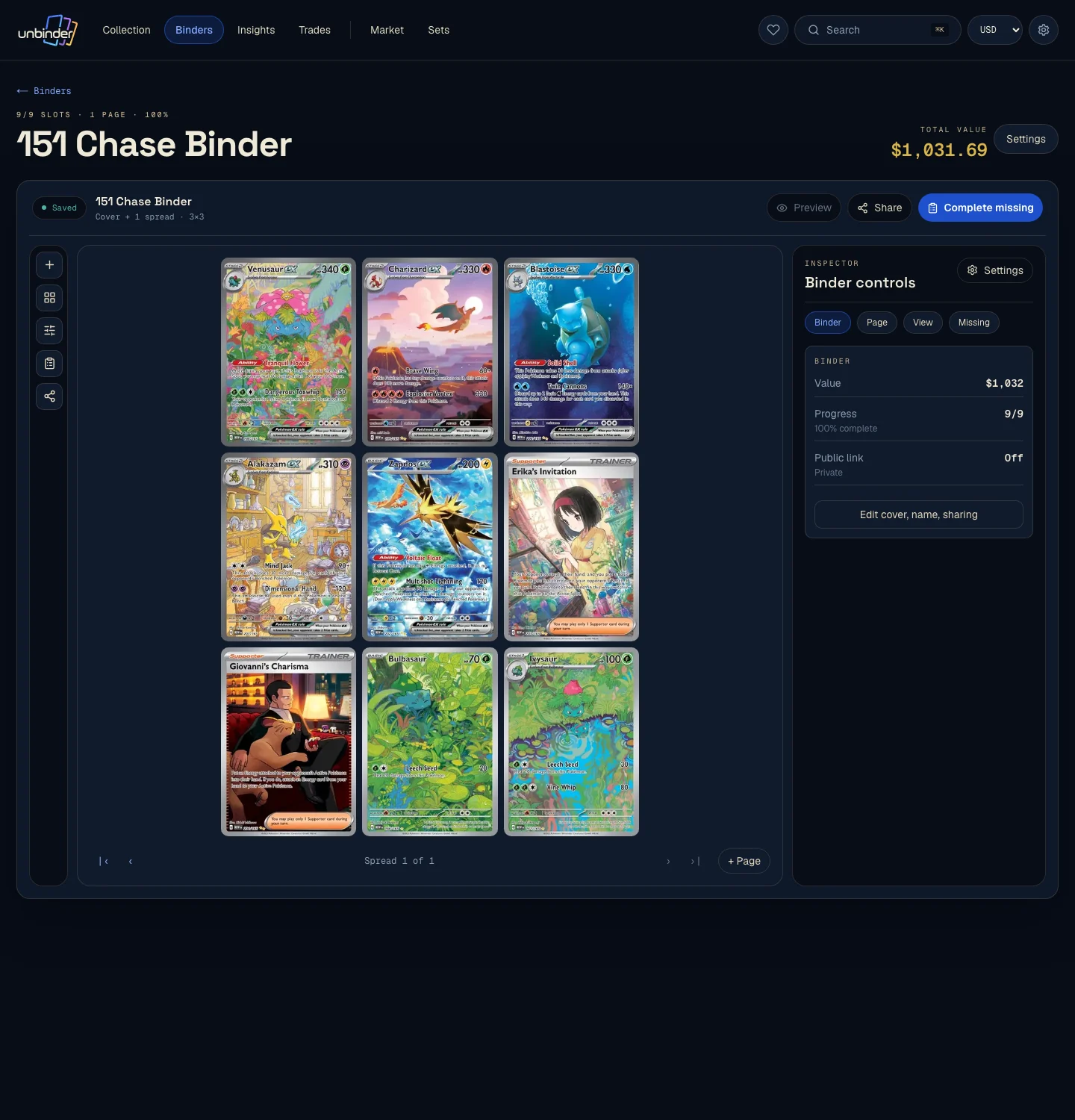
A set-specific binder keeps the sequence visible on a larger screen. It is easier to spot a wrong version or an overlooked pocket when the digital page resembles the physical project.
§ Missing-card proof
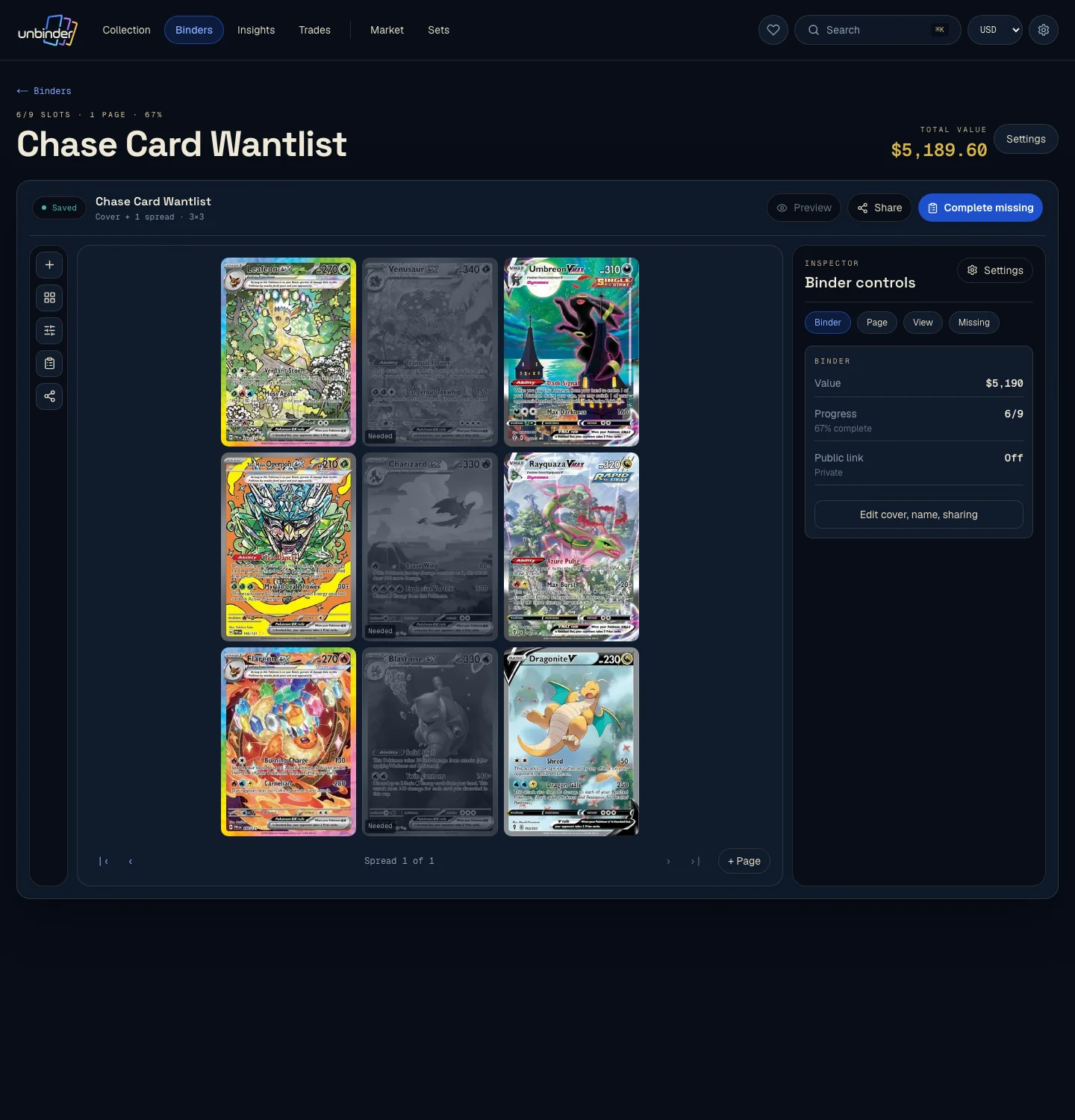
Missing printings stay visible beside owned cards. Review the exact set number and variant, then decide whether that gap belongs on your wishlist.
§ Card set or master set
Unbinder separates supported variants in master-set mode. Availability differs by set, so the checklist only expands when variant data exists in the catalogue.
The regular set card counts as its own owned or missing row.
A reverse holo remains separate when the catalogue identifies it as another printing.
Set-specific finishes appear only when they are represented as distinct catalogue variants.
§ Before you start a set
It is a collection view that matches cards to one set and shows which exact entries are owned or missing. Unbinder also connects selected missing cards to a separate wishlist.
Yes. When the catalogue has variant data, master-set mode expands the checklist to supported printings such as standard and reverse holo versions.
Yes. The set view can filter the checklist to missing entries. Saving a card to the wishlist remains a separate choice, so not every gap becomes a buying target.
No. The camera suggests a match. Confirm the set, collector number, language, finish, and condition before adding the owned copy.
Yes. Set browsing, card-set and master-set modes, ownership, missing filters, and wishlist actions are available on the web. Camera scanning is in the iOS and Android apps.
§ Start with the set in front of you
Use Unbinder to keep set progress, supported variants, missing cards, and selected wants connected after every opening or purchase.
§ Plan before you chase
The guide explains how to define completion. The missing-list and budget guides cover what to do after the gaps are visible. This page stays focused on using Unbinder.