How to buy Pokemon cards on eBay safely
Buy with a checklist, not a rush. The right habits make eBay more useful and less risky for Pokemon card collectors.
The safest way to buy Pokemon cards on eBay is to search for the exact card, verify the photos and condition, check the seller history, compare prices against market references, and walk away from any listing that leaves important details unclear.
eBay can be useful for singles, sealed products, slabs, and hard-to-find cards. It also rewards patience. A good purchase usually starts before you open the listing: know what card you need, what version counts, and what price would still feel fair tomorrow.
For high-value cards, check eBay's current Authenticity Guarantee eligibility (opens in a new tab) instead of assuming every card is covered. As reviewed on July 15, 2026, eligibility depends on card type, price, seller and buyer location, listing format, and other conditions shown on the listing.
Start from your missing list
Do not browse first and justify later. Start with the card your collection actually needs.
Before searching, write down:
- Set name.
- Collector number.
- Language.
- Finish, such as holo, reverse holo, or non-holo.
- Graded or raw preference.
- Condition target.
- Maximum price including shipping and taxes.
Unbinder can help you keep that intent clean. Build the collection you own in digital binders, keep missing cards in a wishlist, and use value tracking to compare the target against broader market context. The missing Pokemon cards guide is a good starting point if your buy list still feels vague.
Search for the exact card
Use specific search terms instead of broad collector phrases. Include the Pokemon name, set, number, language, and finish when those details matter.
Good search habits:
- Search the card number, not only the character name.
- Add the set name when the artwork appears in multiple releases.
- Add "reverse holo", "promo", "stamped", or the grading company when needed.
- Filter out lots if you only want one specific card.
- Check sold listings separately from active listings.
Affiliate disclosure: Some eBay links in this guide may be affiliate links. If you use one, Unbinder may earn a commission at no extra cost to you. Affiliate relationships do not change our editorial recommendations.
Card showcase
Check exact cards before opening marketplace tabs
Check the set and collector number, compare prices from each marketplace, and decide whether the card belongs on your wishlist or in your binder. One active listing is never the whole market.
Some marketplace links may earn us a commission at no extra cost to you. Compare condition, language, shipping, taxes, and sold results before buying.
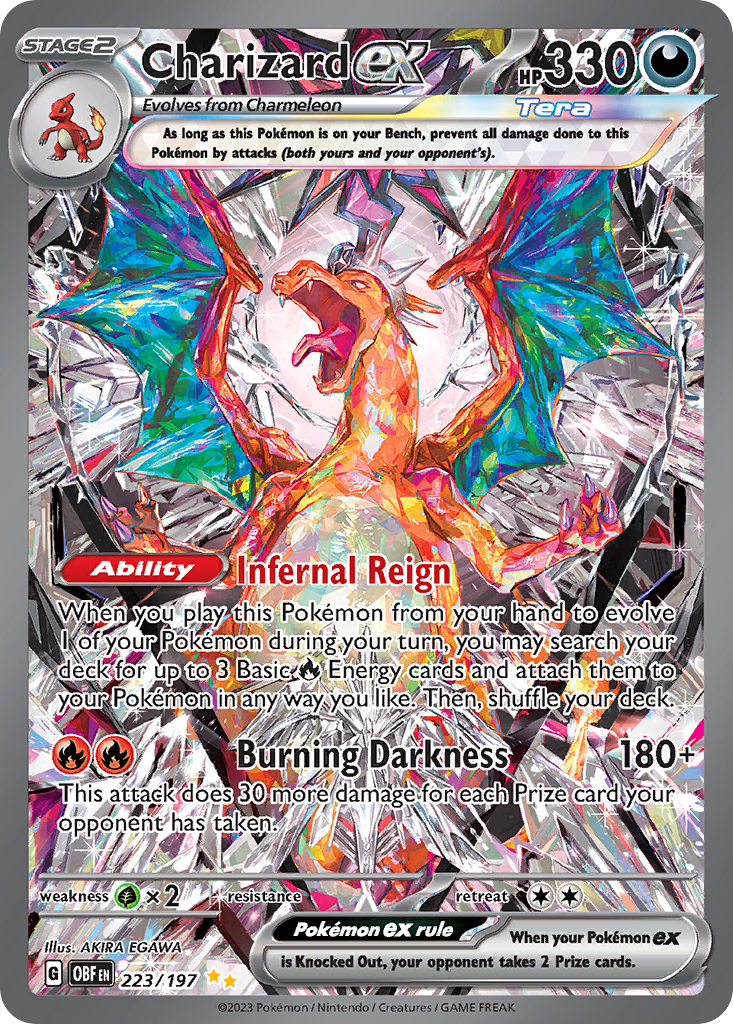
Charizard ex
Special Illustration Rare · EN
Use as a cross-source benchmark: movement matters more when TCGplayer, Cardmarket, and eBay agree.
Marketplace price check
Checking saved data



Next step: Confirm the card version and condition before comparing prices.
Catalog source: Pokemon TCG API card record - Reviewed 2026-07-09
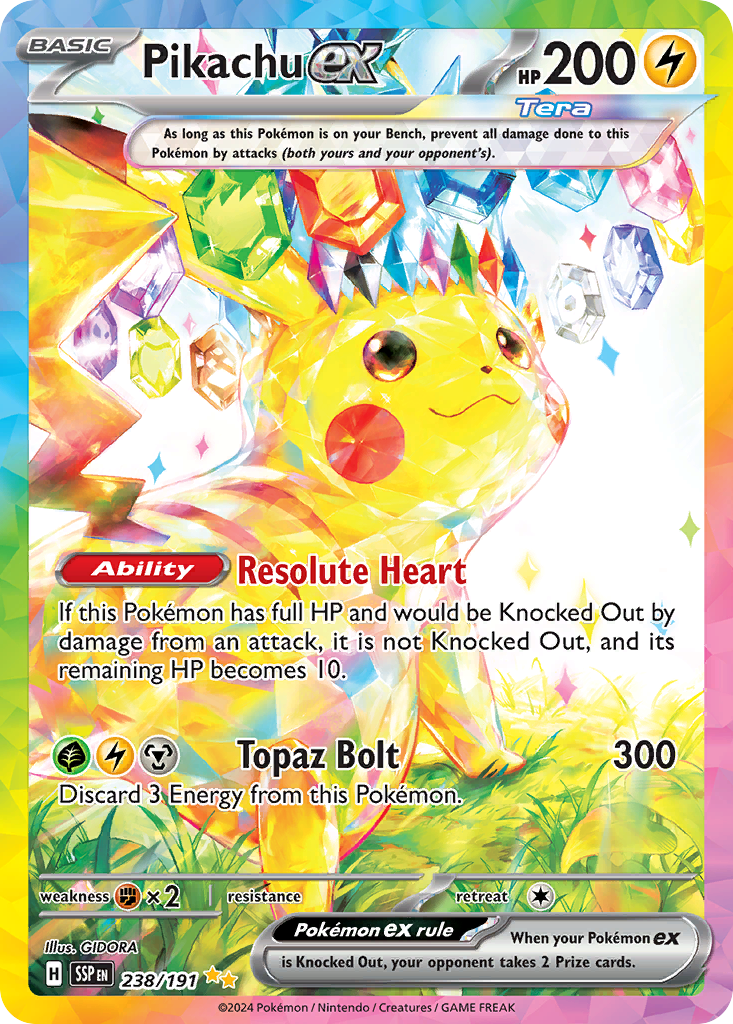
Pikachu ex
Special Illustration Rare · EN
High-attention modern chase card where sentiment can run ahead of clean sold comps.
Marketplace price check
Checking saved data
Next step: Put it on a wishlist before reacting to a spike.
Catalog source: Pokemon TCG API card record - Reviewed 2026-07-13
You can check current eBay listings (opens in a new tab) to compare active availability, but do not treat the first visible price as the market price.
Make the listing prove the printing
Safety on eBay is mostly identification. A listing titled "Charizard ex Obsidian Flames" is not a card; Charizard ex 223/197 is. Ask the photographs to show the collector number, and treat a seller who will not photograph it as a seller describing a different card than the one in the pictures.
Check the number against the official Obsidian Flames card list (opens in a new tab), and read what eBay's authenticity guarantee (opens in a new tab) actually covers before assuming it applies to your purchase, because the thresholds and categories matter more than the badge does.
Read the photos before the title
Titles can be incomplete, optimistic, or wrong. Photos are where most of the real evidence lives.
Look for:
- Clear front and back photos.
- Corners, edges, surface, and centering.
- The set symbol and collector number.
- Holo scratches or print lines.
- Creases, whitening, dents, or stains.
- Matching cert number for graded cards.
- A photo of the exact card, not only a stock image.
For raw cards, avoid listings that only show one blurry front image. For graded cards, verify that the label, cert, card, and grade all match the listing.
Treat condition words carefully
Condition terms are not always used consistently. "Near Mint" in a title does not guarantee Near Mint in your binder.
Use the photos to decide whether the claimed condition makes sense. If the card is expensive, ask for additional photos before committing. A careful seller should be able to show corners, back edges, surface, and any visible flaws.
If your collection tracking depends on condition, record the card honestly once it arrives. Overstating condition makes your collection value less useful later. For more context, see how to track Pokemon card value.
Check seller history
A good seller profile does not make every listing safe, but it gives useful context.
Before purchasing, check:
- Feedback score and recent feedback.
- Whether the seller regularly sells trading cards.
- Negative feedback themes.
- Return policy.
- Shipping location and handling time.
- Photos and descriptions across other listings.
Be extra careful with expensive cards from new accounts, listings with copied photos, or descriptions that avoid obvious condition details.
Compare price before deciding
Active listings show asking prices. Sold listings show what buyers actually paid. You need both, especially for cards with thin supply.
Compare the eBay listing against:
- Recent sold listings for the same card and condition.
- TCGplayer references for English raw cards where relevant.
- Cardmarket references where European market context matters.
- Shipping, taxes, and import costs.
- Grading premium for slabs.
Unbinder can keep price references close to your wishlist and collection value so the decision is not based on a single listing. The goal is not to find the lowest possible price every time. The goal is to avoid paying the wrong price for the wrong version.
Watch for common red flags
Slow down or skip the listing when you see:
- Stock photos for a high-value raw card.
- A title that says one variant while photos show another.
- No back photo.
- Heavy filters, glare, or cropped edges.
- A price far below realistic market context.
- Vague language such as "looks mint" without useful photos.
- Pressure language in the description.
- Shipping methods that do not protect the card.
- A slab with a cert number that cannot be matched to the card.
One missed deal is cheaper than one bad purchase.
Plan for shipping and arrival
Condition can change in the mail if packaging is poor. For valuable singles, look for protective shipping and tracking. For lower-value cards, still check whether the shipping method is appropriate for the card count and value.
When the card arrives:
- Inspect it before filing it away.
- Compare it to the listing photos.
- Confirm the set, number, language, and finish.
- Add it to the right Unbinder binder.
- Remove it from your wishlist or missing list.
- Record condition and purchase price if you track cost basis.
That final update is what turns the purchase into a cleaner collection.
Use Unbinder before and after the purchase
Unbinder is not a marketplace. It is the collector system around the purchase: scan cards, organize digital binders, track collection value, and keep a wishlist for what is still missing.
Before you buy, Unbinder helps you confirm the target. After you buy, it helps you keep the collection accurate. That loop is what makes eBay less chaotic: you are no longer browsing from memory.
For binder planning before you shop, read how to organize Pokemon cards. For wishlist discipline, read how to build a Pokemon card wishlist and missing list.
Continue this workflow
eBay vs TCGplayer for Pokemon singles