How to organize Pokemon cards
Build a binder system that helps you find cards, complete sets, and understand what your collection is worth.
A good Pokemon card organization system should answer three questions quickly: what do I own, what am I missing, and which cards deserve attention next? Start with a physical binder layout, then mirror the important details in a digital binder so your cards are searchable, trackable, and easier to update.
If you already know which set or binder you want to fix first, pair this guide with the Pokemon set checklist guide and the wishlist and missing-list guide. If your next project is a new release, start with the Set Guides & News hub. If your next project is value cleanup, use the Market Watch guides before moving expensive cards.
Quick answer
Organize Pokemon cards by job, not only by appearance. Keep set-completion cards in stable binders, duplicates in a trade or sale area, expensive cards in safer storage, and missing cards in a wishlist. Then mirror the important details digitally so you can search, update, and review value context without reshuffling every physical page.
The card that decides your sorting rule
Every sorting system meets the same test: what happens when one Pokemon appears three times in one set. Charizard ex 125/197, Charizard ex 215/197 and Charizard ex 223/197 all come from Obsidian Flames, and a binder sorted by name puts them together while one sorted by number does not. Neither is wrong, but you have to pick before you file 500 cards, not after.
Sort against the printed order rather than your memory of it. The official Obsidian Flames card list (opens in a new tab) and 151 card list (opens in a new tab) give the sequence the set was actually printed in, which is the only ordering that stays stable when a reprint arrives.
Card showcase
Three printings, one name, one sorting decision
Check the set and collector number, compare prices from each marketplace, and decide whether the card belongs on your wishlist or in your binder. One active listing is never the whole market.
Some marketplace links may earn us a commission at no extra cost to you. Compare condition, language, shipping, taxes, and sold results before buying.
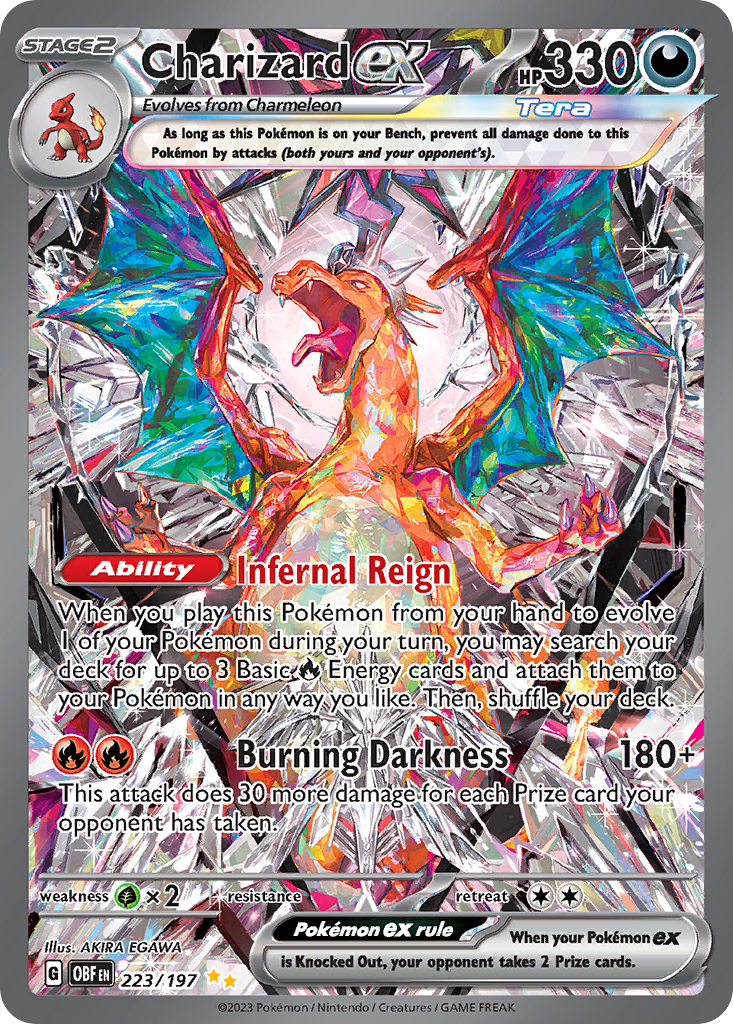
Charizard ex
Special Illustration Rare · EN
Use as a cross-source benchmark: movement matters more when TCGplayer, Cardmarket, and eBay agree.
Marketplace price check
Checking saved data



Next step: Confirm the card version and condition before comparing prices.
Catalog source: Pokemon TCG API card record - Reviewed 2026-07-09
Start with your collecting goal
Before moving cards around, choose the job of the binder. Most collectors need one of these systems:
- Set binder for completing a specific expansion.
- Master set binder for reverse holos, promos, and variants.
- Trade binder for cards you are willing to move.
- Value binder for cards you want to monitor closely.
- Personal binder for favorites that do not need market logic.
| Goal | Physical system | Digital system |
|---|---|---|
| Complete a set | Stable set binder by number | Set progress and missing list |
| Build a master set | Binder pages for variants and promos | Reverse-holo, promo, and variant tracking |
| Trade duplicates | Separate trade binder or box | Duplicate count and trade notes |
| Protect value | Sleeves, top loaders, slabs, or storage | Condition, source, and value references |
| Collect favorites | Theme binder by Pokemon, artist, or era | Tags, notes, and wishlist priorities |
Interactive set binder
Mirror a physical binder before the next sort
Start a set binder from this guide, then keep owned cards, missing cards, and price context together in Unbinder.
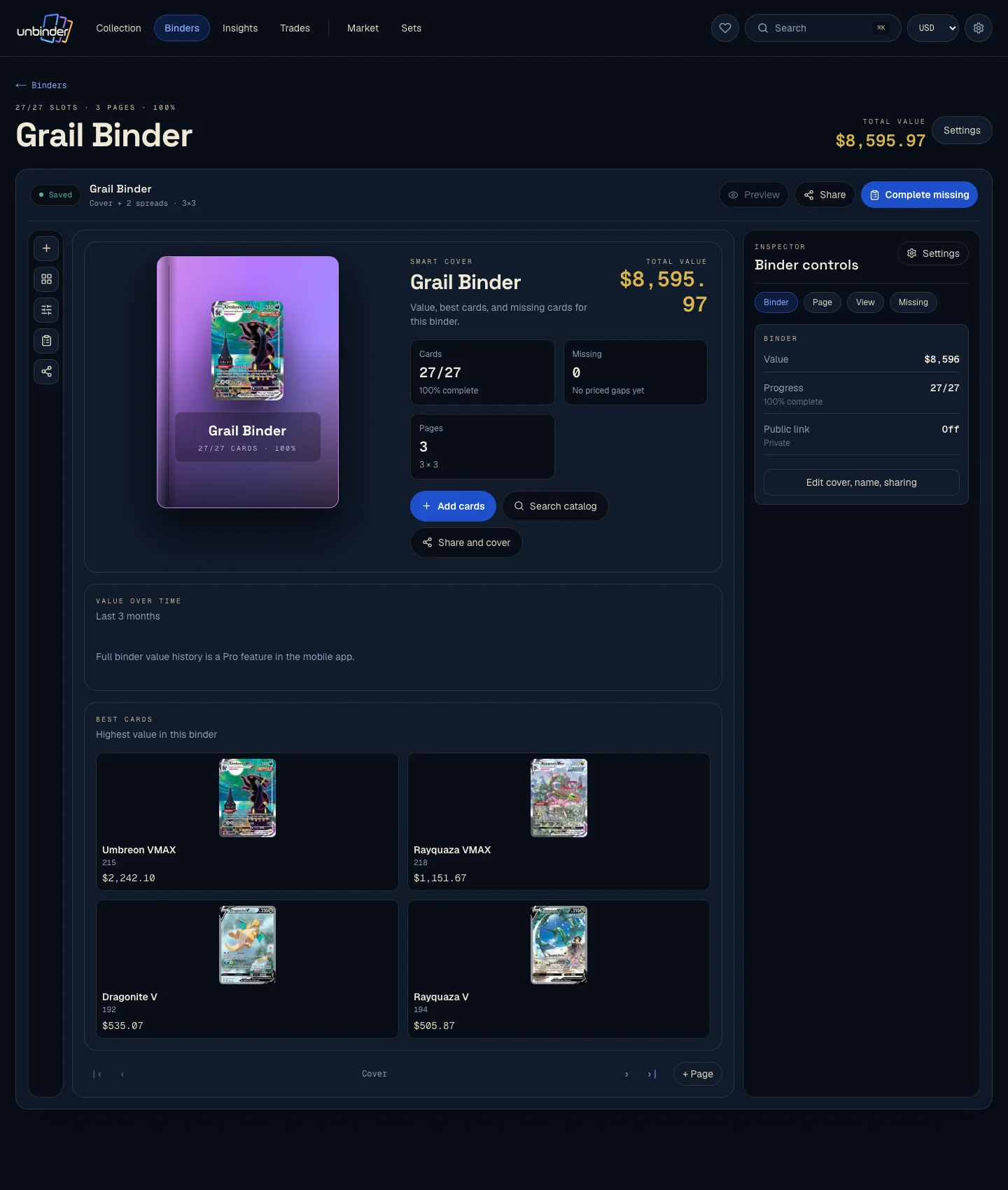
The best system can mix these goals, but each card should still have one clear job at a time.
Keep set completion separate from trading
Mixing a set binder with a trade binder sounds efficient, but it creates a messy habit. You start removing cards from the same place you use to track progress. Keep the completion binder stable, then move duplicates into a trade or sale binder.
Track missing cards as you go
The moment you sort a set, write down what is missing. A missing list prevents duplicate purchases, makes trades easier, and turns a binder from a storage object into a plan.
In Unbinder, binders and wishlists are separate on purpose: the binder shows what you own, while the wishlist shows what still needs a slot.
For new release projects, use the Pokemon set collector guide to decide which gaps belong in the set binder, which gaps belong in a chase wishlist, and which duplicates can leave the completion plan.
Use a simple intake routine
After an opening, purchase, or trade, do not sort everything twice. Use a short intake routine:
- Identify the card exactly: set, number, language, finish, and condition.
- Put set-progress cards into the stable binder.
- Put duplicates into a trade or sale area.
- Put expensive or fragile cards into safer storage.
- Add missing cards to the wishlist before buying more packs.
- Review value-sensitive cards with recent marketplace context.
This routine is faster than rebuilding a binder from scratch. It also gives each new card a decision before it becomes clutter.
Use value as a signal, not the whole system
High-value cards deserve safer storage and closer tracking, but value should not be the only way you organize. Sets, condition, language, and personal meaning all matter. Use value to decide which cards need sleeves, top loaders, or grading research, not to erase the rest of your collection's story.
When value matters, compare the exact card and condition against the sources you trust. Unbinder uses price references from TCGplayer, Cardmarket, and eBay, but the number is still a guide, not a guaranteed sale price. For a deeper method, read how to track Pokemon card collection value. For the specific difference between listing prices and buyer proof, read asking price vs sold price for Pokemon cards.
Choose the right binder section
Do not force every card into the same binder style.
| Section | Put here | When to review it |
|---|---|---|
| Set binder | Numbered set cards and planned variants | New pulls, singles purchases, trades |
| Master-set section | Reverse holos, promos, stamps, special cards | Checklist updates or promo releases |
| Trade binder | Duplicates and cards you are willing to move | Before card shows or collector meetups |
| Value watch | Cards where condition or price matters | Before selling, grading, or buying |
| Favorites binder | Personal cards that do not need market logic | Whenever your collecting taste changes |
This keeps a Charizard you want to protect from behaving like a duplicate you would trade, even if both came from the same opening.
Review the binder after every large update
After opening a booster box, buying singles, or trading, do a quick review:
- Add new cards to the correct binder.
- Move duplicates to trade or sale storage.
- Update missing cards.
- Check whether any value-sensitive cards need better protection.
Small reviews keep the collection easy to understand. Waiting until everything is messy turns organizing into a weekend project.
For set releases, add one more step: compare your binder against the relevant set guide after the checklist or product lineup changes. The Set Guides & News hub is the place to start when a release creates a new checklist, chase-card, sealed-product, or price-watch task.
Put the system into Unbinder
Use Unbinder as the digital layer for the binder you already understand:
- Scan cards into the right binder.
- Keep missing cards in a wishlist instead of a memory list.
- Track condition and value-sensitive cards separately.
- Review your collection after openings, singles purchases, and large updates.
The goal is not to replace the physical binder. It is to make the binder easier to search, update, and trust.
Open the collection tracker when you are ready to mirror the binder, build a missing list, and keep future purchases tied to the cards you actually need.
FAQ
Should I organize Pokemon cards by set or by value?
Use set order for completion projects and value as a protection signal. A set binder helps you see missing cards. A value watch list helps you decide which cards need safer storage, condition notes, or price checks.
Where should duplicate Pokemon cards go?
Keep duplicates outside the main set binder unless you collect multiple copies on purpose. Put them in a trade binder, sale box, or duplicate inventory so they do not confuse set progress.
How often should I update my Pokemon binder?
Update the binder after openings, singles purchases, trades, and major set checklist changes. A short review after each large update is easier than resorting months of cards later.
Do I need a digital binder if I already have a physical binder?
A physical binder shows the collection. A digital binder makes it searchable, tracks missing cards, records condition and language, and helps you compare value before buying more.
Continue this workflow
How to complete a Scarlet and Violet set