
Owned pocket
The physical card is present. Keep its set, collector number, language, finish, condition, grade, and quantity attached to that copy.
§ Digital Pokémon card binder app
Unbinder gives every owned copy a pocket and every missing printing a visible place. Build set, theme, or personal binders without flattening the collection into one generic list.
Digital binders are available in Unbinder for iOS, Android, and on the web.
§ Page logic, preserved
A digital binder should answer the same questions as the physical page in front of you: what belongs here, which exact copy is present, and is this gap part of the plan?
The physical card is present. Keep its set, collector number, language, finish, condition, grade, and quantity attached to that copy.
The binder names the exact printing that belongs here, so a set gap can stay visible until you find the right card.
Leave room for a future theme, layout, or personal story without pretending a card is missing from a tracked set.
§ From binder to screen
Start with one set, favorite Pokémon, artist, trade group, or physical binder. A clear purpose makes every later pocket decision easier.
Scan or search, confirm the set and collector number, then place each owned copy in its intended slot. Keep duplicates and condition differences honest.
Reopen the spread, check missing printings, move selected wants to the wishlist, and choose private, link-only, or public visibility before sharing.
§ Real binder proof
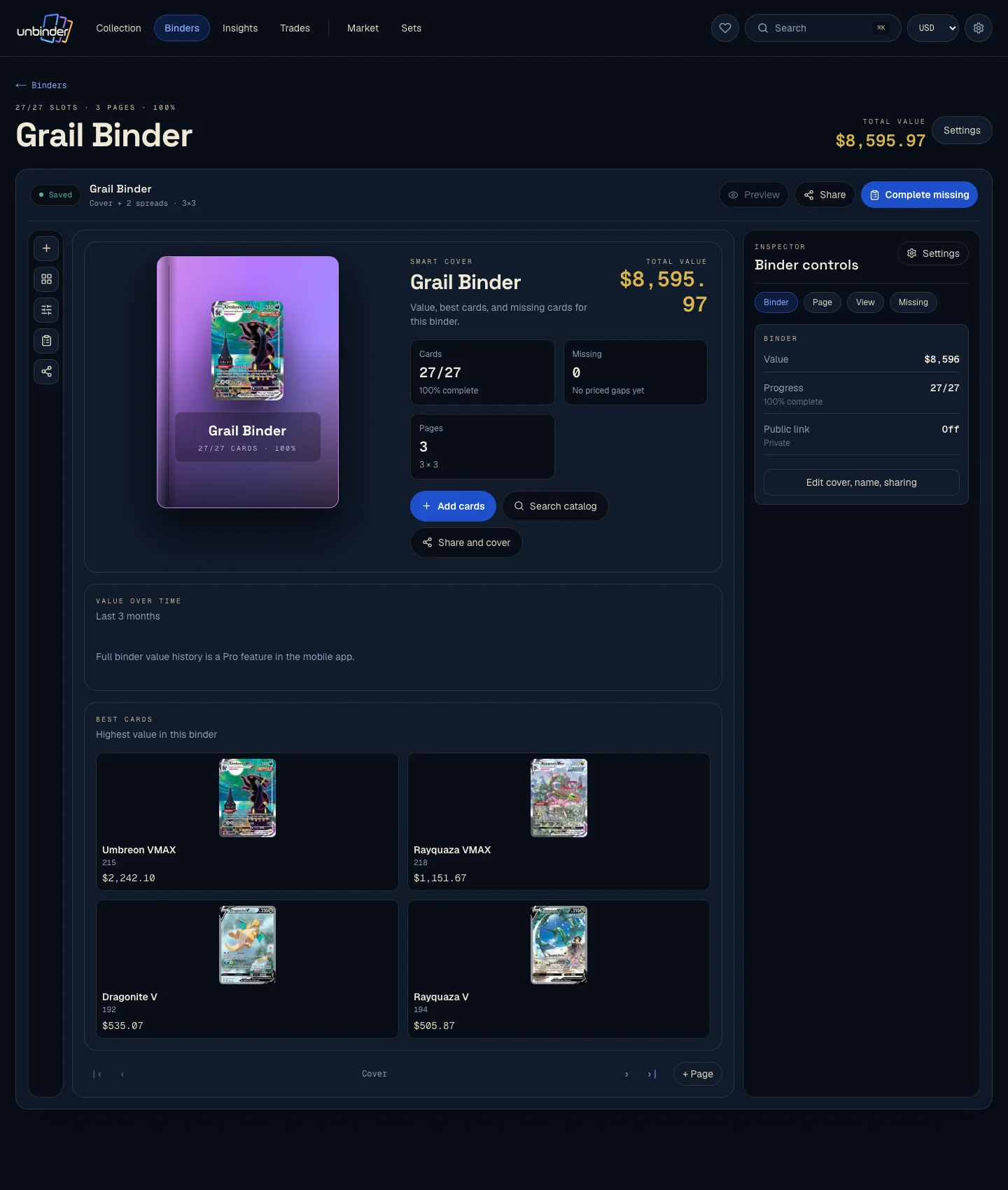
The web binder keeps the spatial rhythm collectors already understand. Cards stay in slots, while the larger screen makes a full spread easier to review.
§ Exact gaps
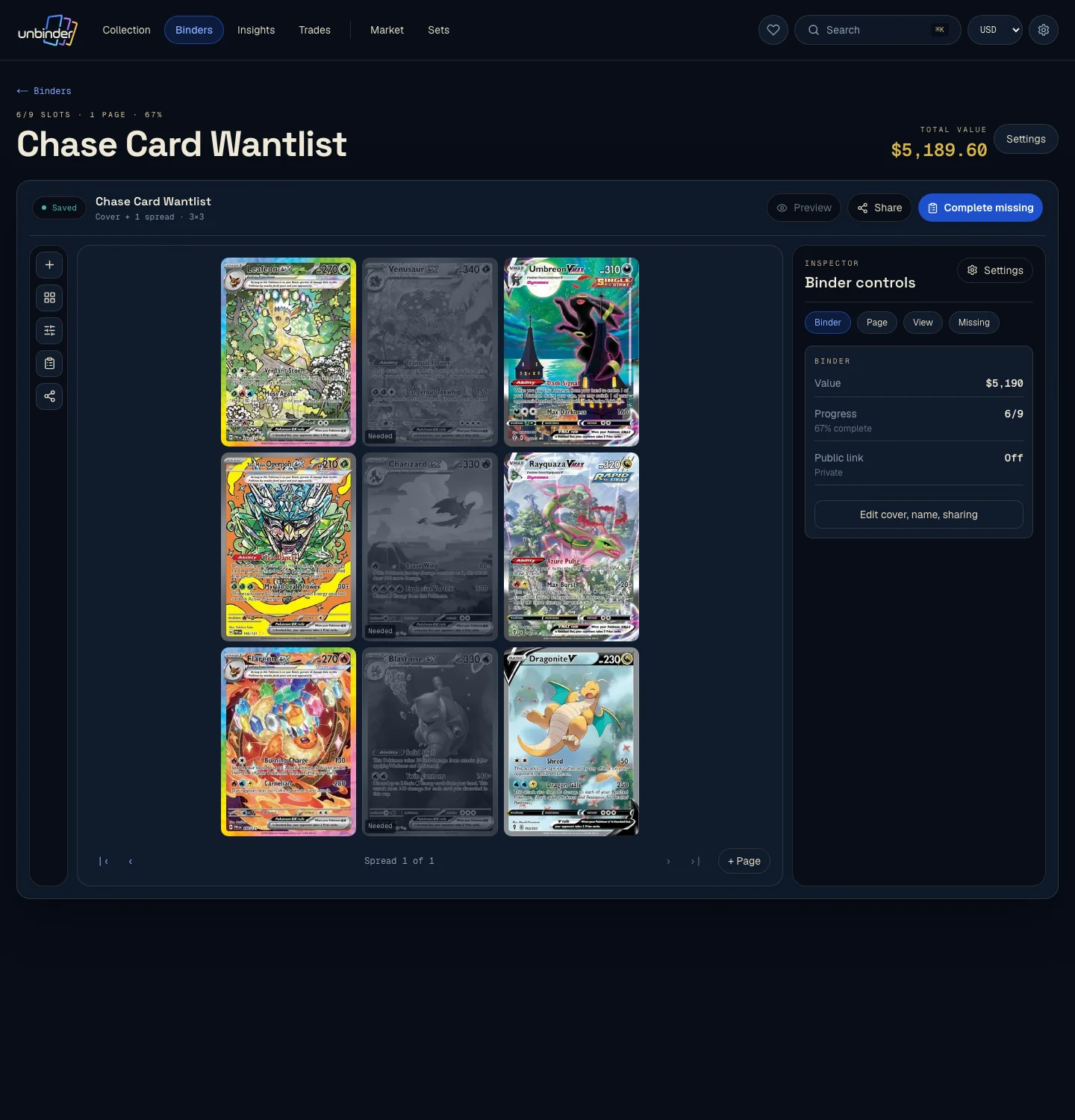
For a tracked set, an unowned printing can stay visible beside the cards you have. Review the gap first, then decide whether it belongs on your wishlist.
§ Privacy before reach
Keep a working binder private, open it through a link for selected people, or publish it when it is ready to show. Sharing is a binder-level choice, not the price of organizing your cards.
§ Before you digitize your collection
It is a searchable, page-based record of the cards you own and the positions you are still working toward. A useful digital binder preserves exact card identity and page logic instead of showing only a total.
Yes. Create a binder with the same purpose, then enter each spread in order. Confirm set, collector number, language, finish, condition, and hidden duplicates while the physical cards are in front of you.
Yes. A set-tracked binder can keep unowned printings visible as named gaps. You can review those gaps and move selected cards to a separate wishlist.
Yes. Binder visibility can be private, link-only, or public. Check the cards and visibility setting before sending a link or publishing the binder.
The iOS and Android apps support camera scanning. Confirm the exact result and copy details, then add or move the card into the right binder. The web app supports binder and collection review.
§ Start with six pockets
Choose a small part of the physical collection, place each exact copy, and reopen the page. The binder earns its place when the gaps still make sense tomorrow.
§ One intent per guide
These guides own the broader decisions. This page stays focused on building digital binders in Unbinder.