Best Pokemon card scanner app: 7 options to test
The best scanner is the one that makes a wrong printing easy to spot before it reaches your binder, list, or price check.
The best Pokemon card scanner app depends on what you need after the camera finds a match. Test Unbinder first for binder placement, TCGplayer for a free marketplace-linked list, Dex for Pokemon set progress, Collectr for a collection across many TCGs, and Ripdex for free batch and binder-page scanning. Use the same 30 cards in every app and score the saved record, not the camera animation.
The best Pokemon card scanner apps make a wrong set, variant, or language easy to see and correct before saving. A camera can recognize the artwork and still choose the wrong card. Repeated art, reverse holos, promos, and language variants turn a quick match into a costly collection mistake when the result goes straight into a binder.
If you want the product path rather than the multi-app comparison, see how the Unbinder Pokemon card scanner app moves a camera suggestion through card confirmation before it reaches your collection.
Disclosure and review method: Unbinder is our product. On September 28, 2026, we checked the current first-party pages for the Collectr scanner (opens in a new tab), Collectr PRO (opens in a new tab), Dex scanner (opens in a new tab), TCGplayer App (opens in a new tab), Ripdex comparison and test disclosure (opens in a new tab), PriceCharting app (opens in a new tab), and Dragon Shield Poke TCG Scanner (opens in a new tab). These are documented capabilities, not an independent accuracy benchmark. Ripdex reports a 98.1% first-scan result from its own July 2026 research, but the page does not publish the test size or card basket. Treat that as a developer claim, not a winner. Platforms, catalog coverage, and paid limits can change.
Best Pokemon card scanner apps by collecting job
| App | Best reason to test it | Documented scan path | Verify before a full import |
|---|---|---|---|
| Unbinder | Binder-first Pokemon collecting | Add with the camera or search, then confirm set, collector number, language, and condition | Finish, repeated-art printings, and how corrections affect binder progress |
| TCGplayer App | Free TCGplayer price lookup and saved lists | Scan into a temporary or saved list; set condition, language, and printing | The exact set when several printings share artwork; TCGplayer warns that the app can guess wrong |
| Dex | Pokemon set and Pokedex progress | Scan, narrow by expansion or rarity, then review variants before adding | The scanner is a Dex+ feature on iOS and Android; review every variant before adding |
| Collectr | A collection across 25+ TCGs | Scan, auto-match set, number, and variant, then add quantity and condition | Current free allowance; unlimited scanning in Collectr PRO does not replace identity review |
| Ripdex | Free batch and binder-page scanning | Scan one card, a stack, or a binder page, then review the proposed records | Its published accuracy number is first-party; repeat the test with your own difficult cards |
| Dragon Shield | Pokemon collection, deck, wishlist, and trade-list tools together | Scan into its Pokemon card manager and custom folders | Language and variant handling on your device, plus whether deck tools matter to you |
| PriceCharting | Photo search with broad collectible price and collection context | Take or upload a card photo, review the suggested match, then add the item | Low-confidence matches, exact card identity, and whether folders replace the binder view you want |
There is no honest universal winner without a shared card sample. An app can be excellent for one clean modern set and frustrating with older promos. Choose the post-scan job first, then measure how often the camera gets you to the correct saved card.
When a binder-first collection matters: Unbinder
Unbinder is the clearest fit to test when you want the scanned card to land in a specific digital binder rather than a flat inventory or price list. The camera gets you to a suggested card; you still confirm the set, collector number, language, and condition before saving it.
That confirmation matters most when you are:
- rebuilding a physical binder on your phone;
- checking which set numbers are missing;
- separating owned cards from wishlist targets;
- keeping duplicates visible after a pack opening;
- reviewing dated value references without treating them as a sale price.
Use a real goal for the test. A 151 binder, an artist page, or one set with reverse-holo gaps will reveal more than scanning 30 unrelated cards and admiring the match speed.
Read the best Pokemon card collection app guide if collection structure matters more than the camera itself. If the cards already have a physical order, use the physical-to-digital binder guide before you start. The Unbinder scanner page shows the current mobile confirmation path before you install or test it.
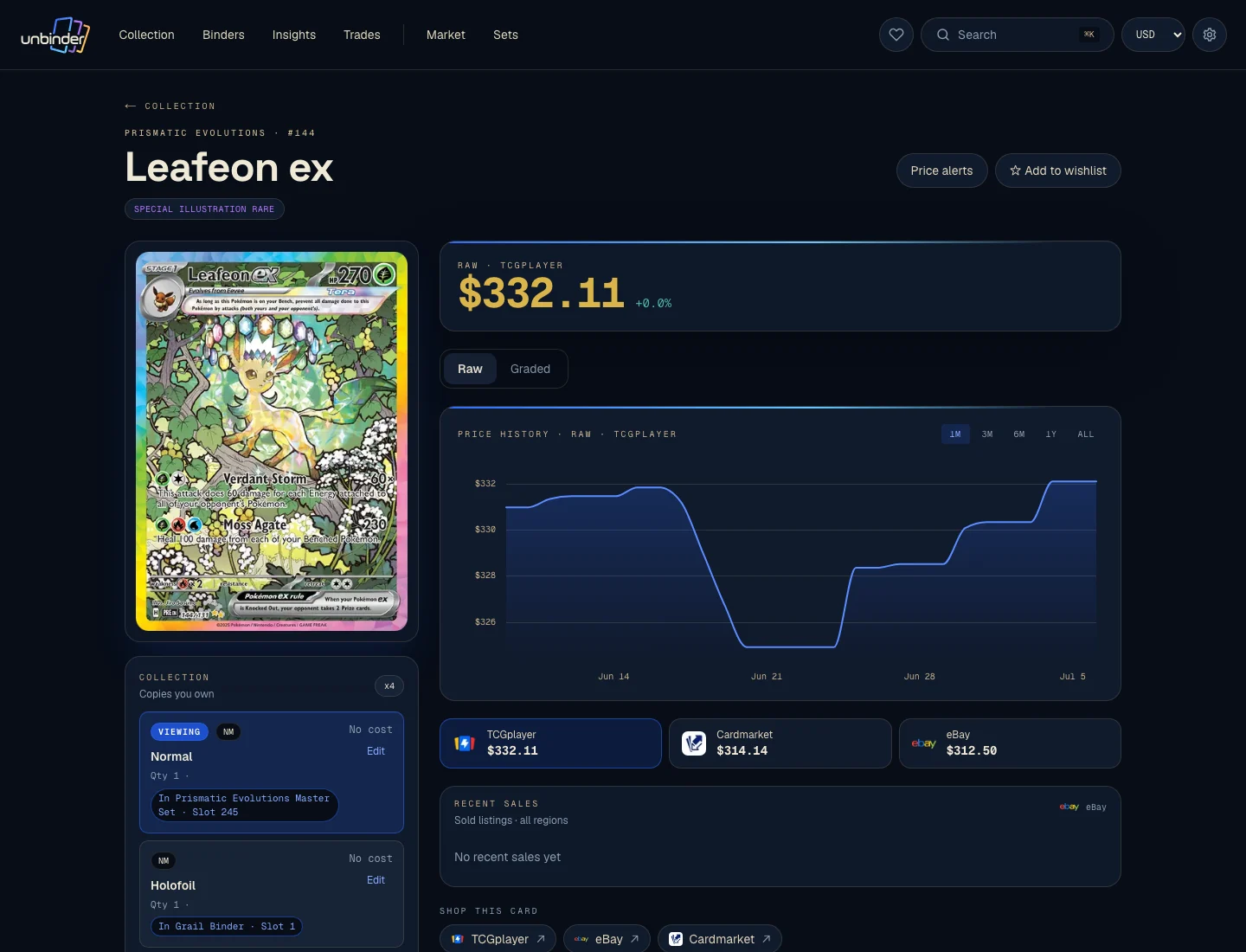
Build one 30-card scanner test
Do not begin with your entire collection. Freeze one small basket and scan the same cards in every app. Thirty cards are enough to expose common failure cases without turning the comparison into a weekend project.
Include:
- 10 modern commons, uncommons, or rares with clear artwork;
- 4 reverse holos or other finish variants;
- 3 duplicates of the same printing;
- 3 promos or stamped cards;
- 3 older cards with different layouts;
- 2 cards whose artwork appears in more than one printing;
- 2 Japanese or other non-English cards you actually collect;
- 2 full-art or illustration cards with reflective surfaces;
- 1 card where condition changes the decision you would make.
Keep the basket unchanged after the first scan. Swapping difficult cards out because one app missed them makes the comparison meaningless.
Seed the basket with exact cards that expose different mistakes
Start with cards whose identities are easy to verify away from the scanner. The official Obsidian Flames card list (opens in a new tab) and 151 card list (opens in a new tab) make these useful repeatable checks:
| Physical cards | Mistake this can expose | Count as correct only when |
|---|---|---|
| Charizard ex 125/197 (Double Rare), Charizard ex 215/197 (Ultra Rare), and Charizard ex 223/197 (Special Illustration Rare) from Obsidian Flames | The app stops at the Pokemon name or chooses the wrong artwork and rarity | All three saved records keep the correct collector number |
| Mew ex 151/165 (Double Rare), Mew ex 193/165 (Ultra Rare), and Mew ex 205/165 (Hyper Rare) from 151 | The app treats one name within one set as one card | Each printing remains separate after saving |
| Pikachu 025/165 from 151 in regular and reverse-holo finish | Artwork recognition hides a finish difference | The two finishes remain distinct in the collection |
| A second regular Pikachu 025/165 | A duplicate is merged, dropped, or mistaken for another finish | Quantity becomes two without changing the printing |
| One non-English card whose English artwork you also own | The match silently changes the card language | The saved record preserves the language in front of you |
Use one of the named cards again in a sleeve to test glare without introducing a different identity. Fill the remaining places with cards from the categories above, then keep the exact physical stack together until every app has been checked.
Unbinder's reviewed catalog returned all seven named identities on September 28, 2026: the three Charizard ex printings in Obsidian Flames, the three Mew ex printings in 151, and Pikachu 025/165. The two official checklists confirm the printed numbers. They do not prove that a scanner chose the right finish or language; that still has to be checked against the physical card.
Card showcase
The printing that exposes a scanner's most expensive shortcut
Check the set and collector number, compare prices from each marketplace, and decide whether the card belongs on your wishlist or in your binder. One active listing is never the whole market.
Some marketplace links may earn us a commission at no extra cost to you. Compare condition, language, shipping, taxes, and sold results before buying.
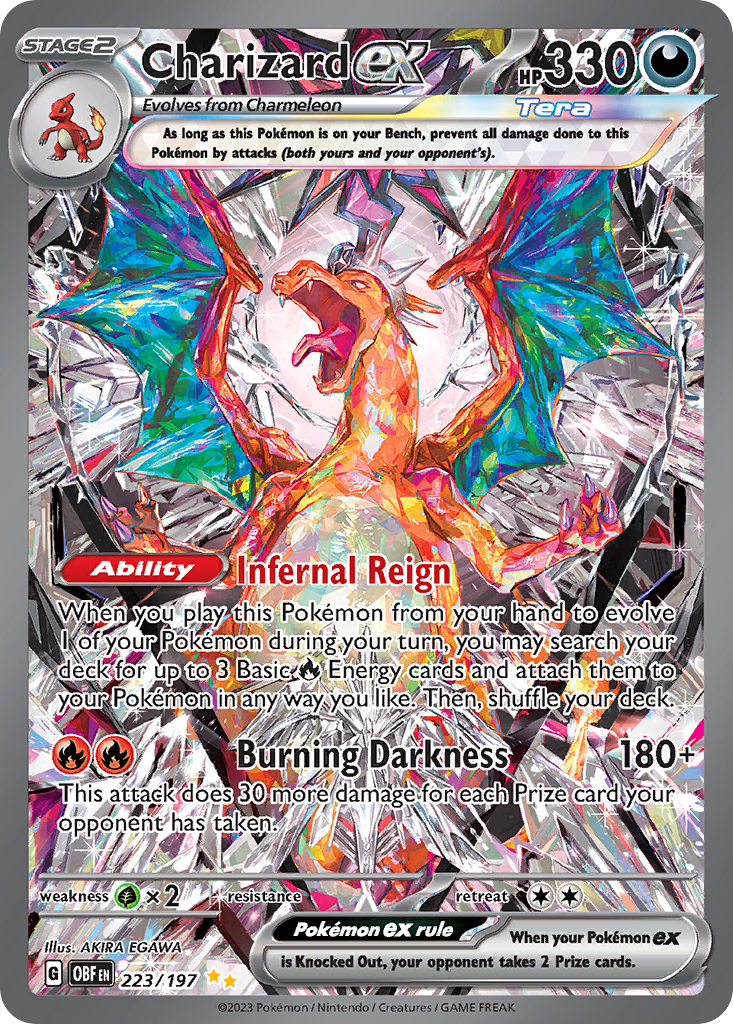
Charizard ex
Special Illustration Rare · EN
Use as a cross-source benchmark: movement matters more when TCGplayer, Cardmarket, and eBay agree.
Marketplace price check
Checking saved data



Next step: Confirm the card version and condition before comparing prices.
Catalog source: Pokemon TCG API card record - Reviewed 2026-07-09
Score the saved result, not the camera animation
Record what happened after each card reached the collection. A confident match is not a pass until the saved record is correct.
| Check | Pass | Needs correction | Fail |
|---|---|---|---|
| Card identity | Correct set and collector number | Correct card name, wrong printing | No usable match |
| Finish or variant | Correct before saving | Easy to correct in review | Missing or unclear |
| Language | Preserved correctly | Available through a quick correction | Unsupported or silently changed |
| Quantity | Three duplicates remain three copies | Manual quantity fix needed | Copies are lost or merged incorrectly |
| Condition | Saved with the intended condition | Easy to add after scanning | Cannot be recorded for your use |
| Organization | Lands in the intended binder, list, or folder | One extra move is needed | Result becomes hard to find |
| Recovery | Wrong match is obvious and reversible | Correction takes several steps | Mistake is difficult to detect or undo |
Count correct initial matches, corrections, unresolved cards, and saved records that preserved all the details you care about. Do not turn the result into a public accuracy percentage unless the device, lighting, app version, catalog, and card basket are also documented.
Keep a four-bucket ledger for every app:
| Result | What it means |
|---|---|
| Correct first match | The saved printing, finish, language, quantity, and destination were right without editing |
| Corrected before save | The suggestion was wrong or incomplete, but the right record was easy to choose |
| Unresolved | No result could be verified against the card in front of you |
| Field lost after save | The card was identified, but a detail you need disappeared from the collection record |
Do not combine the last three columns into one vague error count. A visible, reversible suggestion is less damaging than a confident wrong printing that quietly changes binder progress or the price reference you see later.
Correction speed often matters more than scan speed. One wrong repeated-art printing can distort a missing list or price check long after a fast camera session is forgotten.
Give every scanner the same conditions
Place one card at a time on a plain background with even light. Keep the full border visible and reduce glare on sleeves and textured cards. The official TCGplayer guidance also recommends checking amount, set, foiling, condition, and language after scanning.
For a fair comparison:
- Use the same phone where the apps support it.
- Keep the light, background, distance, and sleeves unchanged.
- Start a fresh list or binder for each run.
- Do not preselect a set for one app unless you do the equivalent in the others.
- Review every saved result before counting it.
- Note paid gates or device limits separately from match quality.
If a sleeve creates glare, adjust the light before removing the card. Protecting the card is more important than finishing a scanner test quickly.
Match the app to what happens next
Choose TCGplayer when the immediate question is a TCGplayer Market Price, Listed Median, or recent-sale reference and a saved list is enough. Its own FAQ says repeated artwork can lead to the wrong set, which is a useful reminder to check the printing rather than trust the first result.
Choose Dex when Pokemon expansion and variant review are the center of the task. Its documented review screen lets collectors narrow results and assign variants after a batch. Confirm current Dex+ access and platform availability before using it for a large binder.
Choose Collectr when a multi-TCG collection and market history matter more than Pokemon binder pages. Collectr documents 25+ games plus set, number, variant, quantity, and condition in its scan flow. Unlimited scanning sits in Collectr PRO. Treat the company's automatic-match language as a feature claim and test the exact cards you own.
Choose Ripdex when batch or binder-page scanning matters more than keeping the camera tied to one marketplace. Its own comparison publishes a 98.1% first-scan figure, but without the sample size and fixed basket needed for an independent comparison. Run the same difficult 30 cards before accepting that number for your collection.
Choose Dragon Shield when you also want deck, wishlist, trade-list, folder, and price tools in a Pokemon card manager. The developer listing is broad, so a small device-specific test is especially useful before you commit.
Choose PriceCharting when photo search and price history across several collectible categories are the main draw. Its own photo-search page labels low-confidence results and asks the user to verify or try another photo. That is good scanner behavior: uncertainty should be visible.
Common scanner mistakes
- Counting a correct Pokemon name as a correct printing.
- Testing only clean modern cards with distinct artwork.
- Comparing different card piles in different apps.
- Ignoring reverse holo, stamped, language, and quantity fields.
- Letting a price result hide a wrong set or condition.
- Paying for a full import before checking the correction flow.
- Treating a company feature page as an independent accuracy study.
- Forgetting to inspect what the app does with the card after identification.
FAQ
How accurate are Pokemon card scanner apps?
Accuracy varies with the physical card, artwork, lighting, glare, language, catalog, app version, and device. A useful scanner exposes uncertainty and makes the suggested set, collector number, finish, and language easy to verify. Test a fixed mixed basket before trusting any app with a full collection.
Can a Pokemon card scanner identify cards through sleeves?
Some scanners can, but glare and texture can hide borders, set details, or foil cues. Start with even light and a plain background. Keep the card sleeved when removal could cause damage; a slower safe scan is better than a cleaner photo that risks the card.
Can scanner apps identify Japanese Pokemon cards?
Some apps document multi-language catalogs or scanning, but coverage and exact variant handling differ. Include Japanese cards in your test, then verify the set, collector number, language, and finish. Artwork recognition alone does not prove that the saved printing is correct.
What should I verify after scanning a Pokemon card?
Check the set, collector number, language, finish or printing, condition, and quantity. Then confirm that the card landed in the intended binder or list. If one of those details is hidden, correct it before using the result for a missing list or price comparison.
Final recommendation
This guide does not name a universal accuracy winner. The useful Pokemon card scanner app is the one whose mistakes you can spot and correct before they spread through your collection. Test Unbinder first for a binder-first Pokemon setup, TCGplayer for free price lookup, Dex for set progress, Collectr for multi-TCG collection tracking, and Ripdex when batch or binder-page scanning is the priority.
Whichever app you choose, use the same 30 difficult cards and score the saved records. A slightly slower scanner that preserves the precise card version, language, condition, quantity, and binder is more useful than a fast camera that leaves you cleaning up the collection later.
Continue this workflow
Dex vs Collectr vs Unbinder: choose the right card app