Best Pokemon card collection app: choose by collecting goal
The strongest tracker is not the one with the longest feature list. It is the one that still feels accurate when you reopen the binder.
The best Pokemon card collection app is the one that keeps the exact card correct after entry and makes your next job obvious: file it, spot a gap, compare a dated value, set a wishlist priority, or find a useful trade with a friend. For a Pokemon-first binder, missing-list, and friend-trading workflow, Unbinder is the strongest starting point. Test that claim with your own cards before importing everything.
Disclosure: Unbinder is our product. We checked current first-party product and help pages for Collectr, Dex, and Unbinder on September 27, 2026. This is not a hands-on scanner-accuracy test. A documented feature can still be awkward in practice, and “not documented” does not mean a feature is absent.
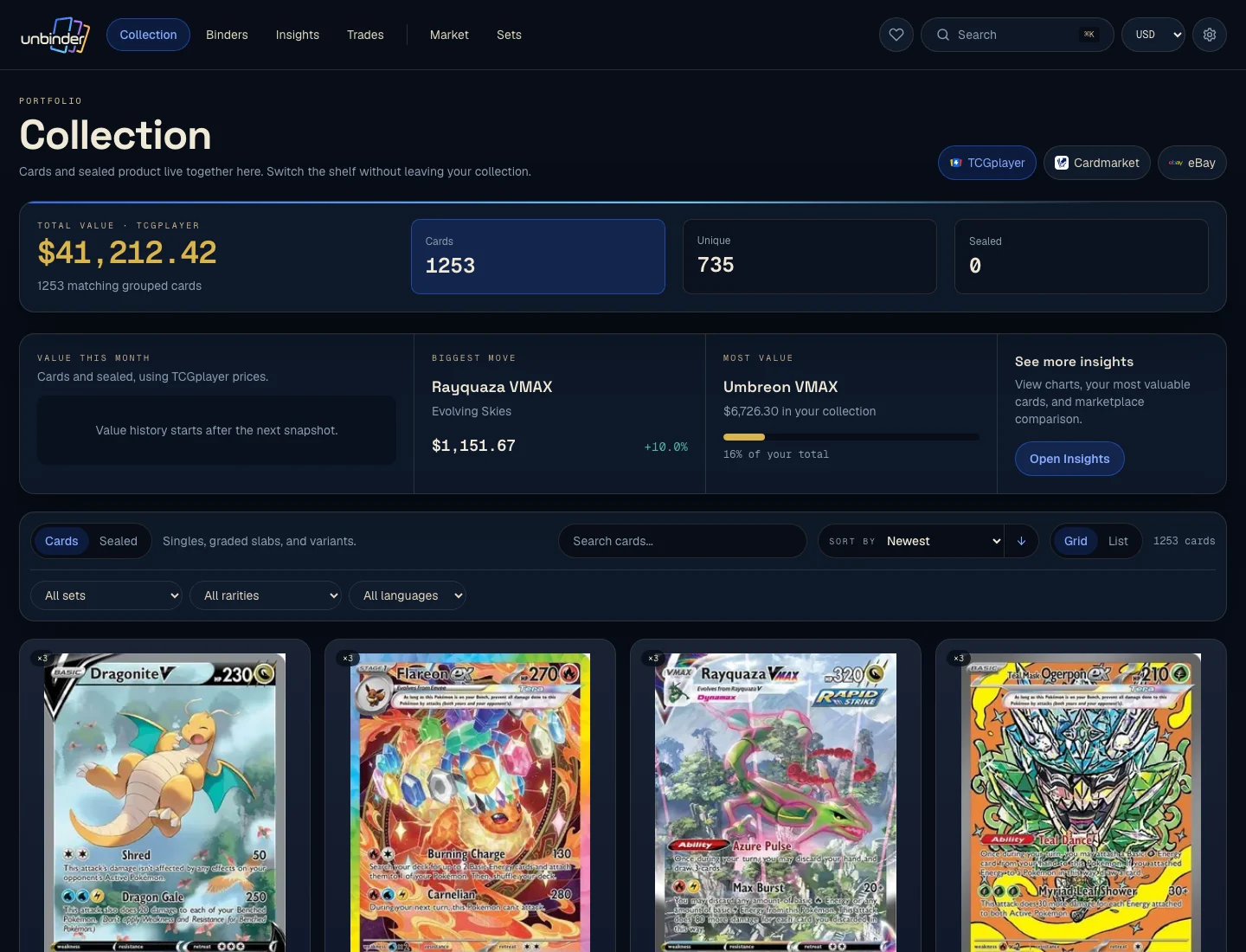
For the Unbinder-specific product flow, the Pokemon card collection tracker shows how cards, binders, duplicates, missing cards, and dated value context stay connected. This article remains the independent app-selection test.
Which Pokemon card collection app fits your job?
Do not start with the longest feature list. Start with the collecting decision you repeat most often.
| Your main job | Strong starting point | What to test before choosing |
|---|---|---|
| Keep Pokemon cards in visual binders, track exact gaps, and find friend trades | Unbinder | Whether its set, language, finish, and condition coverage fits your own cards |
| See Pokemon beside several other trading card games in one portfolio | Collectr | Which scanning, history, and export limits apply to the tier you would use |
| Browse by Pokemon species, set progress, variants, and collection goals | Dex | Whether its folders and scanner access fit your device and collecting style |
| Keep a small custom inventory or run one-off calculations | Spreadsheet | Whether you will still update it after the next pack opening or card show |
The choice changes when the job changes. A collector with Pokemon, One Piece, and Lorcana cards has a different problem from someone finishing an Obsidian Flames binder page. Neither should accept a universal “best app” verdict.
For the detailed named-app evidence, use the separate Collectr vs Dex vs Unbinder comparison. For the current Unbinder camera and confirmation path, use the Pokemon card scanner app page.
What should European collectors test?
For a European collector, the best Pokemon card app should do more than display euros. It should show which market produced a value, preserve the card's language and condition, and keep the observation date visible. A converted US price is not the same evidence as a Cardmarket reference in EUR.
| European check | Why it matters | What to verify in the app |
|---|---|---|
| Named market and currency | Cardmarket, TCGplayer, and eBay answer different questions | The source and EUR or USD label stay beside the value |
| Card language | English, German, French, Italian, Spanish, and Portuguese copies can have different supply | The saved card keeps the language in front of you |
| Condition and finish | A Near Mint regular card is not interchangeable with a played reverse holo | Condition and finish remain attached after saving |
| Mobile access and tier | Scanner access can depend on device or subscription | The version you will actually use supports the full test |
Use the Pokemon card value tracker for Europe when Cardmarket context is the deciding factor. This page keeps the broader app choice focused on card identity, binders, missing cards, and daily upkeep.
Card showcase
The printing the 20-card test is built around
Check the set and collector number, compare prices from each marketplace, and decide whether the card belongs on your wishlist or in your binder. One active listing is never the whole market.
Some marketplace links may earn us a commission at no extra cost to you. Compare condition, language, shipping, taxes, and sold results before buying.
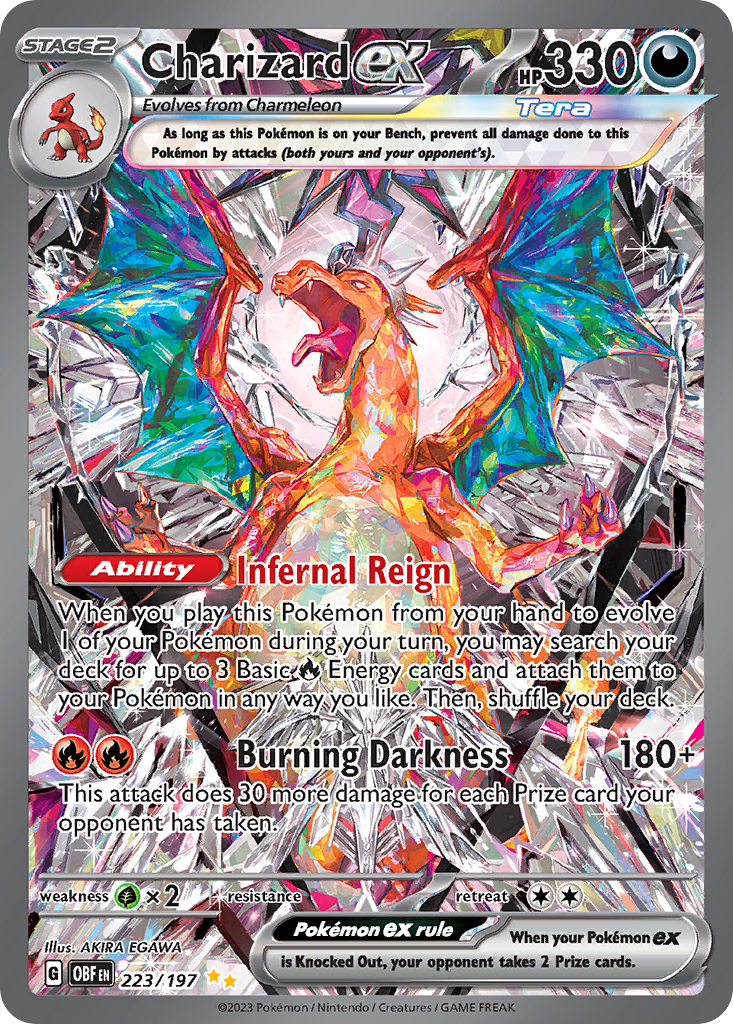
Charizard ex
Special Illustration Rare · EN
Use as a cross-source benchmark: movement matters more when TCGplayer, Cardmarket, and eBay agree.
Marketplace price check
Checking saved data



Next step: Confirm the card version and condition before comparing prices.
Catalog source: Pokemon TCG API card record - Reviewed 2026-07-09
What a useful tracker must preserve
A clean card name is not enough. Before you save a card, the app should let you confirm the details that change where it belongs and what it may be worth:
- set and collector number;
- language;
- finish or printing;
- condition or grade;
- quantity;
- binder, folder, or other destination;
- owned, incoming, missing, or wanted state where relevant.
Charizard ex 223/197 from Obsidian Flames (opens in a new tab) is a useful test. Put it beside a different Charizard ex printing with similar art. If the app leaves you unsure which one was saved, the attractive collection total is already built on a bad record. The official checklist and Unbinder's reviewed catalog both place that printing at 223 in the 197-card printed run.
The same is true of duplicates. Two copies can belong to different jobs: one for the set binder, one for trade, or one as a lower-condition placeholder. The app should help you see that distinction rather than flattening both copies into a count you will forget.
For the physical filing decisions behind the screen, read how to organize Pokemon cards.
Run one frozen 20-card setup test
Choose the basket before opening any app, then use the same cards in the same order for every candidate. Each slot below counts once:
- six standard modern cards from two sets;
- three reverse holos;
- two regular holos;
- two promo cards;
- Charizard ex 223/197 and one Charizard ex from another set;
- two duplicates in visibly different conditions;
- two non-English cards the app says it supports;
- one older card.
Keep the device, lighting, subscription tier, and timer the same. Start from a fresh collection. If a function is unavailable on your platform or tier, write that down instead of changing the rules halfway through.
The aim is not to manufacture a public winner from 20 cards. It is to expose the friction your own collection will repeat.
Score what happens after the scan
Give each test 0, 1, or 2 points. The maximum is 14, but the notes matter more than the total.
| Test | 2 points | 1 point | 0 points |
|---|---|---|---|
| Exact identity | Correct set, number, language, and finish on the first useful result | Correct card after a short correction | Wrong or unclear printing remains |
| Correction burden | One clear confirmation step | Several filters or edits | No reliable way to correct the record |
| Save step | Quantity, condition, and destination are clear before saving | One detail needs a later edit | Important details are lost or guessed |
| Organization | The card lands where you expect and is easy to find | Search works, but the destination is vague | The saved card disappears into a flat list |
| Gaps and wants | Owned, missing, and wanted cards stay distinct | A manual folder or note can mimic the distinction | No practical way to plan the missing card |
| Value context | Exact version, source, currency, and date are understandable | A number appears but needs separate checking | The value cannot be tied to the saved card |
| Second visit | The collection is clear when reopened two days later | You need to remember how you filed it | You would need to rebuild or clean up the test |
Also record elapsed time and every wrong-version save. A fast scan followed by three minutes of corrections is not faster collection maintenance.
What the official product pages document
The following is a source check, not a laboratory result.
Collectr: start here for multi-TCG portfolio breadth
The current Collectr product page (opens in a new tab) presents a portfolio across Pokemon and 25+ trading card games, with market tracking, price history, trade analysis, and social features. Its scanner page (opens in a new tab) says the scan flow identifies set, number, and variant, then lets the collector set quantity and condition.
That makes Collectr the clearest starting point when Pokemon is one part of a larger TCG collection. Its current PRO page (opens in a new tab) says unlimited scanning is a Collectr PRO feature, alongside up to five years of price history and collection export. Check the current tier before using any of those as a deciding factor.
Dex: start here for Pokemon and Pokedex-style progress
The current Dex product page (opens in a new tab) emphasizes Pokemon set and Pokedex progress, individual variants, folders, wishlists, Trade Finder, collection insights, and several named marketplace references. It also lists international, Japanese, and Simplified Chinese expansions.
Dex's scanner help page (opens in a new tab) states that the camera scanner stays a Dex+ feature and is available on iOS and Android at the time of review. The current pricing page lists Dex+ at $3.99 per month. That paid-tier and mobile-only condition matters if camera entry is central to your test; the wider Dex product is also available on the web.
Unbinder: start here for a binder and missing-card loop
The current Unbinder product page (opens in a new tab) documents camera or search entry followed by confirmation of set, collector number, language, and condition. It connects those cards to digital binders, missing and wishlist states, friend matches and private Trading Clubs, and dated references from TCGplayer, Cardmarket, and eBay.
That is why Unbinder is the strongest starting point for the Pokemon-first job defined here. The important part is not that it has a scanner. It is that the confirmed card can move into a binder, stay connected to a real gap or trade, and keep the marketplace source and date beside the value reference.
Treat collection value as context
No collection app can turn a portfolio total into a guaranteed sale amount. The specific printing, condition, grade, language, fees, currency, buyer demand, and source method still matter.
During the 20-card test, open the value attached to Charizard ex 223/197. Can you see which marketplace or reference produced it? Is there a date? Can you tell whether it describes asking prices, sold evidence, or another metric? If not, the number is too detached from the card to guide a buying or selling decision.
Read how to track Pokemon card value before using an app total to decide which card needs attention.
Common comparison mistakes
- Testing only easy modern cards. Similar art, reverse holos, promos, and another language reveal more than 20 ordinary commons.
- Changing the basket between apps. A different stack cannot support a fair personal comparison.
- Counting a possible match as a correct save. Check the final record, not the first suggestion.
- Ignoring tier and platform limits. Record the version you actually used.
- Judging on the first session. Reopen the collection after two days. A tracker earns its place when it saves memory later.
- Letting price decide every field. Binder location, condition, duplicates, and gaps can matter even when a card is inexpensive.
FAQ
What is the best Pokemon card collection app?
For a Pokemon-first workflow that connects exact card confirmation, digital binders, missing cards, wishlists, and dated marketplace context, start with Unbinder. Start with Collectr for a broad multi-TCG portfolio and Dex for Pokedex, species, variant, and set-progress collecting. Verify the fit with the same 20 physical cards.
What is the best Pokemon card app for European collectors?
Start with the app that preserves exact card language and condition, then check whether its value uses a named European source such as Cardmarket in EUR. For a Pokemon-first binder and missing-card setup, test Unbinder first. Use Collectr when multi-TCG breadth matters more, and Dex for Pokedex and set progress.
Is a Pokemon card scanner enough to manage a collection?
No. The scanner only suggests an identity. A useful collection app also lets you confirm the version, condition, quantity, and destination, then find the card again beside duplicates, missing cards, or a wishlist.
How should I test a collection app before importing everything?
Freeze a small basket that includes easy and difficult cards, score the final saved records, and reopen the collection two days later. Do not use your full binder as the experiment. Twenty cards are enough to reveal correction and organization problems without creating a large cleanup job.
How accurate is the collection value shown by an app?
Treat it as dated context, not a cash total. Check the specific printing, condition, language, grade, source, currency, and observation date. A useful app keeps those details close to the number and does not imply a guaranteed sale price.
Do I still need a spreadsheet?
A spreadsheet remains useful for custom calculations and one-off exports. It is usually weaker for camera entry, exact-card browsing, binder visuals, and missing-card upkeep. Keep it only when its flexibility is worth the manual maintenance.
Final recommendation
Choose by the job after entry. Collectr is the strongest starting point for a multi-TCG portfolio. Dex is the strongest starting point for Pokemon species, variants, and set progress. Unbinder is the strongest starting point when you want one Pokemon card collection app to confirm the card, place it in a digital binder, see the real gap or friend trade, and keep dated value context attached.
Open your Unbinder collection with the frozen 20-card basket. Keep it only if the collection still makes sense when you return two days later.
Sources checked
- Collectr portfolio and tier context: product page (opens in a new tab), scanner details (opens in a new tab), and PRO access (opens in a new tab).
- Dex Pokemon coverage and camera-access context: product and pricing page (opens in a new tab) and scanner help page (opens in a new tab).
- Unbinder binder, missing-card, and market-reference context: product page (opens in a new tab).
- Exact-card identity: the official Pokemon Obsidian Flames checklist (opens in a new tab) and Unbinder's reviewed public catalog record for `sv3-223`.
All sources were checked on September 27, 2026. Features, prices, catalogue coverage, tiers, and platform support can change.
Continue this workflow
Pokemon card wishlist app: build an exact want list