App Workflow / App Guides / Jul 8, 2026 / 3 min
Pokemon card binder app vs spreadsheet
Compare the speed and visual structure of a binder app with the flexibility of a spreadsheet.
A spreadsheet gives you free-form columns and formulas. A Pokemon card binder app gives you catalog records, images, scanning, set progress, and collection actions without building those relationships yourself.
Use the collection tracker guide to define the app features you actually need. The physical-to-digital binder guide covers the migration itself.
Quick answer
Choose a spreadsheet for a small, custom inventory that you are willing to maintain by hand. Choose a binder app when catalog matching, card images, set progress, scanning, wishlists, and linked price history save more time than a free-form grid.
| Need | Best workflow | Unbinder role |
|---|---|---|
| Fast entry | Scan or quick search | Add cards to a digital binder |
| Organization | Binder, tag, or goal-based grouping | Keep collection structure visible |
| Review | Value and missing-list checks | Decide what needs attention next |
Where a spreadsheet works well
A spreadsheet is useful when the collection is small, the fields are custom, and one person is comfortable maintaining every row. It is easy to export, sort, add formulas, and share a static copy. For a one-time inventory or insurance list, that simplicity may be enough.
The maintenance cost appears when card names repeat, set metadata changes, variants need separate rows, or images and market history must be joined manually. A spreadsheet does not know that two similar names refer to different collector numbers unless you build and enforce that rule.
Where a binder app earns its place
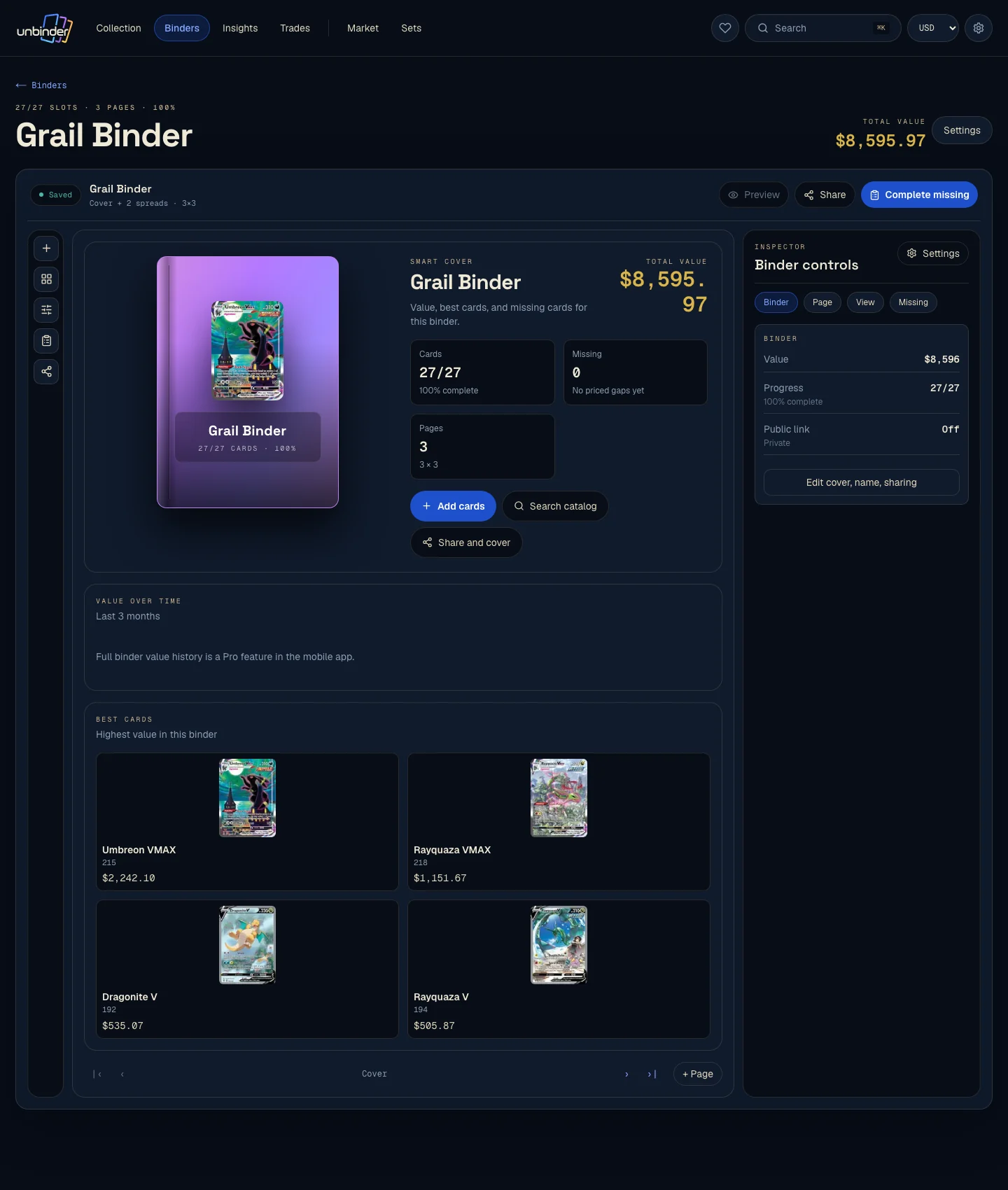
A binder app starts from catalog records, so set, number, image, rarity, and language can remain attached to the collection entry. Scanning speeds up entry, binder pages preserve visual structure, and a wishlist can stay separate from owned cards without maintaining another sheet.
The app is the better fit when you update after openings and trades, collect multiple sets, or need to move between a card, its binder slot, and its price history without rebuilding lookups.
Common mistakes
- Keeping card names but omitting set and collector number.
- Combining owned, missing, and incoming cards in one status column.
- Letting formulas depend on marketplace values that are no longer dated.
- Creating duplicate rows for the same physical card.
- Migrating without checking quantities and variants afterward.
How this fits into Unbinder
In Unbinder, add the owned card to a binder and place genuine gaps on the wishlist. Keep a spreadsheet export for backup or custom analysis if it still helps; the two tools do not have to be mutually exclusive.
Next step
Continue with the digital binder app comparison to compare app features, or follow the physical-to-digital binder guide for migration steps.
Continue this workflow
Collectr vs Dex vs Unbinder →